How to Check Your Emirates ID Status Online
Let’s Connect.
Table of Contents
In 2026, it’s easy to check the status of your Emirates ID. This card is important, since you need it for things like opening a bank account or getting healthcare.
You don’t have to guess or keep calling for updates anymore. Now, you can check your Emirates ID status online for free and get real-time updates in less than a minute.
This 2026 guide shows you how to check your Emirates ID status with your passport number, PRAN (Application Number), or ID number. It also explains what the status messages mean, helps you solve common errors, and tells you how to use your digital ID while you wait for your card.
What is an Emirates ID?
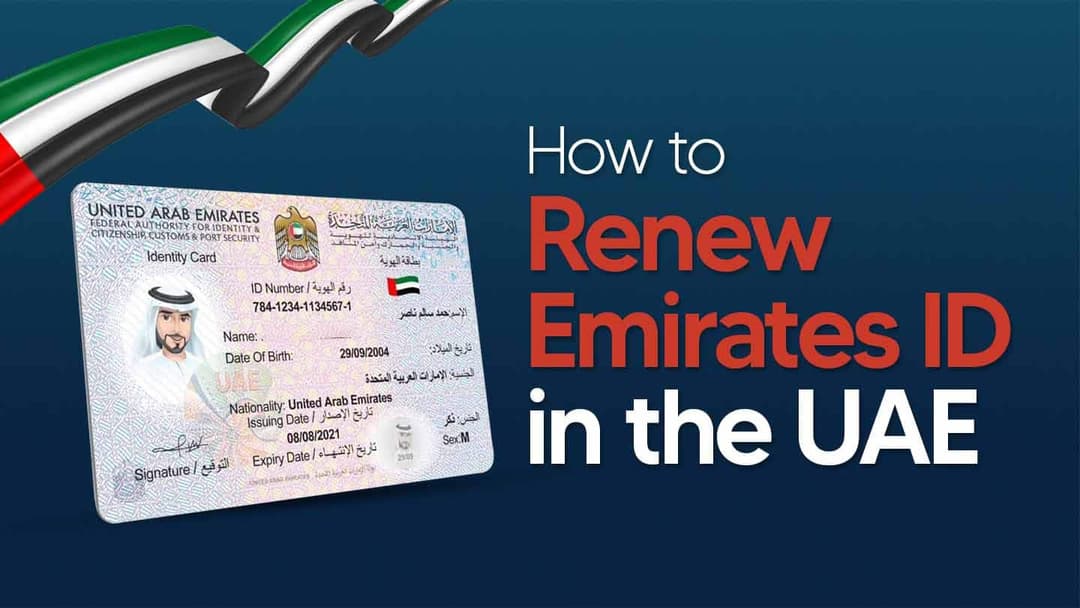
The Emirates ID is required for everyone living in the UAE, whether you are a citizen or a resident. The Federal Authority for Identity, Citizenship, Customs & Port Security (ICP) issues this card, which serves as your official proof of identity and residency status.
Your Emirates ID has a smart chip that securely stores your personal details, such as your photo, fingerprints, and signature. The law requires you to carry a valid Emirates ID with you at all times.
Main Uses of the Emirates ID:
- Legal Identification: This is your main ID for any government or private transaction.
- Access to Services: You need it to open a bank account, sign up for a mobile phone plan, or use healthcare services.
- Government Transactions: You must have it for any dealings with federal or local government offices.
- Travel and Residency: It verifies your residency status and allows you to use e-gates at UAE airports.
- Driving License: Your Emirates ID is connected to your driving license application and information.
The Emirates ID is important for everyday life and business in the UAE. You must keep your card valid and up to date, as this is required by law.
Why You Should Keep Track of Your Emirates ID Status
Your Emirates ID is a key part of everyday life in the UAE. If it expires or you lose it, you could run into these problems:
- You might have to pay large fines if you renew it late.
- You could lose access to government services.
- Opening bank accounts or getting a phone plan may not be possible.
- Travel can become harder, for example, you might not be able to use smart gates.
By checking your ID status often, you can avoid surprises and stay ready for anything.
How to Check Emirates ID Status in 3 Simple Steps
No matter which method you use, the main steps are the same:
- Go to the official ICP website or open the UAEICP app.
- Type in your PRAN, Emirates ID number, or passport number.
- Submit your details to see your current application status and history.
Ways to Check Your Emirates ID Status
- Check through the ICP website.
- Use the ICP File Validity Tool
- Check with the UAEICP mobile app.
- Call by phone
- Get help in person
1. Via the ICP Website (Step-by-Step)
This method works best on a desktop computer.
- Go to the official ICP ID Card Status Page.
- Enter your PRAN number, Emirates ID number, or passport number.
- Enter the CAPTCHA code, then click Submit.
- You will see your current status and a full history of your application.
2. Using the ICP File Validity Tool
You can use this tool to check both your Emirates ID and your residency visa.
- Navigate to smartservices.icp.gov.ae.
- Choose Quick Services, then select File Validity.
- Enter your Emirates ID number or passport details.
- The system will show if your Emirates ID and visa are valid.
Note: Even though this page primarily discusses Golden Visa services, all UAE residents can use the File Validity tool.
3. Via the UAEICP Mobile App
This method is the easiest way to track your status and access your digital ID while on the go.
- Download the UAEICP app from the App Store or Google Play.
- Open the app and sign in to your account.
- Tap on the ID Card Status service.
- Enter your PRAN, Emirates ID number, or passport number.
- Tap Submit to view the latest update.
4. By Phone & In-Person Assistance
These options are good if you want to speak to someone directly.
- Helpline: Call 600 522222 and follow the instructions to check your status with your PRAN or Emirates ID number.
- In person: Visit an ICP Customer Happiness Centre or an Amer Centre in Dubai. Bring your application receipt or your current Emirates ID to get help.
Understanding Your Emirates ID Status Message
The portal uses certain terms. Here is what they mean and what steps you should take next.
| Status Message | What It Means | Your Next Step |
|---|---|---|
| Application Received / Under Review | Your application is submitted and is undergoing initial checks. | Wait patiently; this is a normal processing stage. |
| Approved / In Process | Your application has passed all checks and is moving forward. | Great news! Your card will now move to the printing stage. |
| Printing in Progress / Printed | Your physical Emirates ID card has been produced. | The card will soon be dispatched for delivery. |
| Dispatched | Your card has been handed over to Emirates Post. | Watch your phone for an SMS with the tracking number. |
| Ready for Collection / Delivered | Your card is at the post office or has been delivered. | Visit the designated branch with your original passport to collect it. |
| Rejected | Your application was denied due to an issue. | Contact ICP immediately at 600 522222 to resolve the problem. |
Solving Common Emirates ID Status Problems (2026)
Problem 1: “Record Not Found” Error
- This error can happen if you enter the wrong number format, like using your ID number instead of your PRAN, or if your application is still being uploaded to the system.
- Check that you entered the correct number. If you just applied, wait 24 to 48 hours before checking your status again.
Problem 2: Status Shows “Expired”
- This means your Emirates ID has expired.
- Renew your Emirates ID soon to avoid late fees or any service problems.
Problem 3: “Application Returned”
- This happens if your documents do not match or if some information is missing.
- Send the correct documents and resubmit your application.
How to Make Your Emirates ID Process Easy
- You can find your PRAN on your application receipt, in your ICP Smart Services account under My Applications, or in the confirmation SMS or email.
- If you are waiting for your physical card, you can use the digital Emirates ID in the UAEICP or UAE Pass app as a temporary ID.
- If you need to travel while your ID is being processed, make sure to carry your passport and a copy of your residency visa. The digital ID works inside the UAE, but you will need your passport for trips outside the country.
- Begin the renewal process early to avoid service interruptions. Try not to wait until the last month.
- Always use official ICP channels, such as the website, app, or helpline. Stay away from third-party websites that are not approved by the government.
You might also find these guides helpful:
- How to Get an Emirates ID
- Emirates ID Requirements
- How to Renew Your Emirates ID
- How to Update the Mobile Number Linked to Your Emirates ID
Frequently Asked Questions (FAQs)
1. How can I check my Emirates ID status with my passport number?
Go to the official ICP website, the File Validity tool, or the UAEICP mobile app. Choose the ‘passport number’ option, fill in your details, and submit to check your status.
2. How long does it take to get the Emirates ID after the status is approved?
After your status is “Approved,” it usually takes 5 to 10 working days to print and send your Emirates ID. Emirates Post delivery may take another 1 to 2 weeks.
3. What should I do if my Emirates ID status is delayed or not found?
Start by checking that your PRAN or ID number is correct. If you still have issues after 5 working days, call the ICP helpline at 600 522222 or visit a Customer Happiness Centre for help.
4. Can I use a digital Emirates ID while waiting for the physical card?
Yes, you can. After your application is approved, a digital Emirates ID will be available in the UAEICP and UAE Pass apps. You can use it for most ID needs and save it to your Apple Wallet.
5. How do I track my Emirates ID delivery via Emirates Post?
When your status changes to “Dispatched,” ICP will send an SMS to your registered mobile number. The message will have your Emirates Post tracking number and the address where you can collect your card.
6. What does ‘Emirates ID Under Process’ mean?
This means the authorities are still reviewing your application. This is normal. You do not need to do anything right now—just check again later for updates like “Approved.”
Let Shuraa handle your Emirates ID for you.
Keeping track of your Emirates ID is important for a smooth experience in the UAE. If you follow the official ICP steps in this guide, you can avoid delays and stay up to date.
The process is usually simple, but having an expert can help with the details. This is helpful if your Emirates ID is part of a bigger plan, such as starting a company, getting a trade license, handling visas, or managing PRO services. Shuraa offers full support for these tasks, including VAT registration and accounting, so your business stays compliant.
We can handle the complicated parts for you.
Get in touch with Shuraa today for a free consultation about your business setup and Emirates ID.
Disclaimer: The information in this post is for general guidance and was accurate at the time of writing. Government procedures and fees are subject to change. Always refer to the official ICP website for the most current information.
Leave a Comment
No comments yet. Be the first voice in the void.

Ritish Sharma is a professional writer with in-depth expertise in UAE corporate regulations and business setup processes. Known for his clear communication style, Ritish makes complex information & legal concepts accessible to entrepreneurs and b…